NAV 2015 is Alive

Microsoft Dynamics NAV 2015 is formal presented on Direction US. Now, this release is no longer a secret and we can speak about it. This release is announcing to be available on October 1st to new customers and on October 6th to existing customers. If I’m not wrong, new NAV will be available in 25 localization versions, but for lot of other countries, we still need to prepare localizations, but I think it will not be a big job.

From tomorrow, I will be happy to make available a some technical news every day: client changes, page and report changes, new cmdlets, and lots of other enhancements.

Reservations and Planning/Projected availability calculation

Microsoft Dynamics Team Blog publish one interesting article today. This one is about impact of Reservations in the Planning and Projected availability calculation. Does planning and projecting system include or not reserved quantities in the calculation?

You can find all details on: http://blogs.msdn.com/b/nav/archive/2014/09/09/reservations-versus-planning-and-projected-availability-calculation.aspx

Excellent described processes.

System Requirements for NAV 2015

I have just finished testing installation of Microsoft Dynamics NAV 2015 on different Server platforms. I’m looking for minimum system requirements for this new release.
On the end, I can tell you that new Microsoft Dynamics NAV 2015 works fine on following system (but only on 64-bit editions):

  • Windows Server 2008 R2
  • SQL Server 2008 R2 SP2

Of course, NAV 2015 works excellent on all newer systems.

One notice, when you install NAV 2015 on this configuration, you previously have to install Windows PowerShell 3.0. Also, you have to add Windows Search on your Windows Server 2008 R2, adding it from the Server Manager.

More about NAV 2015, after keynote on Directions US (September 14th).

Inventory Planning in Microsoft Dynamics NAV

Last year I wrote about inventory planning in Microsoft Dynamics NAV (most of them is for NAV2013 or/and NAV2013R2) on my old blog. I think, I can make small reminder on these articles, because this is always current topic.

This is small ‘Table Of Content’ with links to the articles on my blog on the Microsoft Dynamics Community.


OK, I need to finish with remaining subtopics, and because of that I made this reminder here.

Waiting for NAV 2015 again

I already wrote about this topic. I want to tell you more about NAV 2015, but I need to wait. We got the message that after Directions US keynote, we can speak all we now about this NAV release. This is only 12 days and after that, I will make blog series about NAV 2015. I can’t wait.
If you can, the best solution is to come on some conferences, scheduled in following one or two months to see NAV 2015 in live:
-Directions US, San Diego (14.09.-16.09.) http://www.navdirections.com/
-Directions EMEA, Poznan (08.10.-10.10.) http://www.directionsemea.com/
-NAVUG Summit, St. Luis (14.10.–17.10.) http://www.navug.com/
-Convergence EMEA, Barcelona (04.10.-06.10.) http://www.microsoft.com/dynamics/convergence/europe14/?p=topnav
-NAV TechDays, Antwerp (19.11.-21.11.) http://www.navtechdays.com/

Also, you can expect a lot of new “How Do I” videos about Microsoft Dynamics NAV 2015.

Waiting for NAV 2015

In last few months, I found a lot of information about new version of NAV – Microsoft Dynamics NAV 2015. But, all of these information are the pieces of the mosaic.

In last period, I use a lot of my time for testing this new NAV version, and I can said we will get a lot of new things, especially on technically field. But, I still cannot write about all of these, because of NDA.

I will try to present a few small thing, but only these who already is known and presented on some conferences by Microsoft.

Expressive Tiles

Microsoft introduce us with new features on tiles. Now, we can use it, not only for documents. Now, we can use them for decimal, percent and so on. We can also put it different color, depends of result in tiles. We have here some additional benefits, but about this some other time.

Capture1

Word Report Layout

Now in Microsoft Dynamics NAV 2015, except RDLC layout, we can use Word layout also. This will be especially intended for sales documents. Now, it is pretty easier customizing these report layouts even by customers.

Capture2

Tablet Client

Tablet client is one of the most expected features in new NAV. This is because, it can be used on Windows tablet devices, but also on iPad or Android. Generally, you will have the most of functionalities on this client, but adapted to tablets way of using.

Capture3

More…

Yes, it has still more features. And you will see, this is a lot of news. But, you need to wait about a month. The most of them will be presented on Directions in San Diego and Directions EMEA in Poznan. See you there.
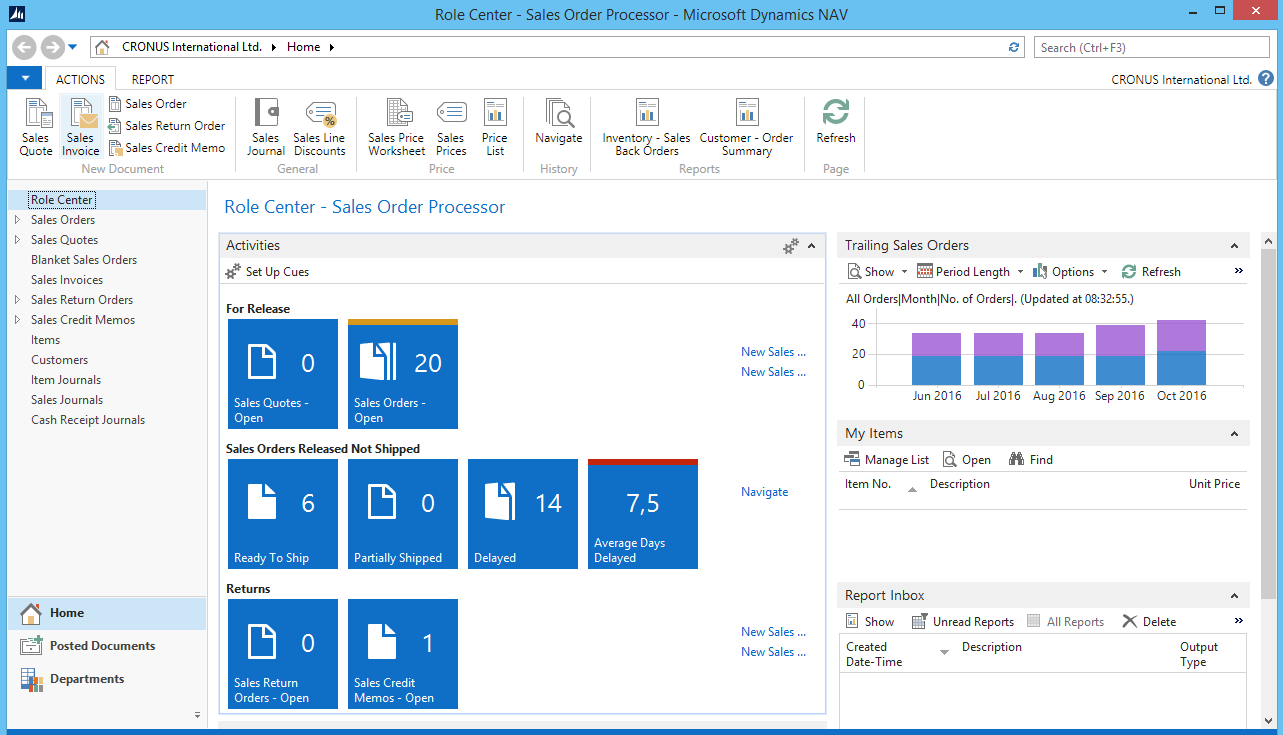
‘How Do I’ video series about NAV2013R2

‘How Do I’ video series is excellent idea from Microsoft to make excellent video training about a lot of different topics in NAV. All of these videos Microsoft prepare in cooperation with Plataan and many NAV MVPs and MCTs. You can find all of them on MSDN page. When I got opportunity to be a part of this project, I accepted this with pleasure.

Currently, I have three published videos. You can find them here:

How Do I: Export and Import All or Part of Data in the Microsoft Dynamics NAV 2013 R2 Database

How Do I: Create Simplified Pages With Hidden Tabs in Microsoft Dynamics NAV 2013 R2

How Do I: Backup and Restore of Microsoft Dynamics NAV 2013 R2 on Windows Azure

In few following days, you can expect more videos.

Welcome to my new blog

Hi. This is my new blog totovic.com. I already wrote a blog on http://nav4construction.wordpress.com/, but I decided to leave this blog dedicated only to construction business. In earlier period, I wrote non-construction NAV articles directly on Microsoft Community Blog, but I think now is the time to open new blog dedicated only about Microsoft Dynamics NAV. We will get new NAV version (NAV 2015) soon and I want to write here about it.