Tablet Client in NAV 2015

As I already wrote, Microsoft Dynamics NAV 2015 introduce a new user interface called Microsoft Dynamics NAV Tablet Client. While the Microsoft Dynamics NAV Windows and Web Clients are designed for mouse and keyboard interaction, the Microsoft Dynamics NAV Tablet Client allows users to get access to the data they need from the touch device they prefer, but only on devices in screen sizes range, longer than 7 inches and with screen resolution 960 × 510.

One important thing, we can use new Microsoft Dynamics NAV Tablet Client on devices, regardless of their operating system. It means that we can use it on Windows tablets, but also on iPad or Android tablets.

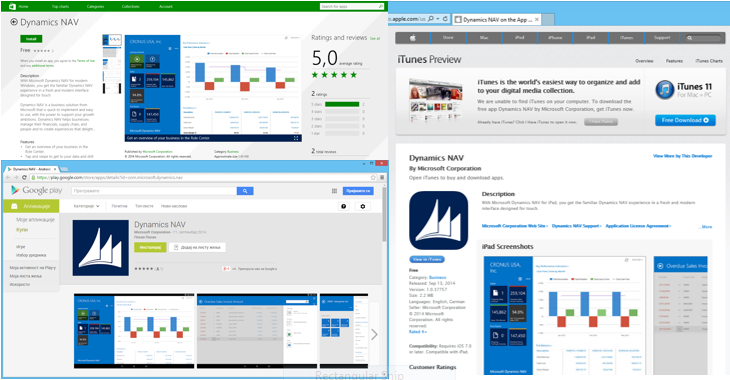
For testing purpose, you can open Tablet Client in your browser, but for your really usage, you need to use Apps. Using of SSL is mandatory because of security issues. you can download Apps from different sites, according your platform:

tc1

You can also run Tablet Client using browser (IE11 and Chrome 36.0 for Windows are prefered), but if you run Tablet Client from browsers on iPad or Android tablets, you will not be able to download files from client and you will maybe have some other limitations. You can do it from Windows tablets, but if you want other tablets and download files, you have to run this Client from Apps. Microsoft made possibility for Tablet Client using from browser only for developing and testing purpose.

Tablet Client is multilanguage client. As on Web Client, we need to configure Tablet Client on the same way for this purpose. The language that is set for the Client comes from the Web Server Instances and you can specify it on your web.config file. That means that for one Web Server Instance, we have one language. If we want to provide multiple languages, than we have to provide multiple Web Server Instances.

In following posts, I will bring you user experience using Tablet Client.

You can find here system requirements for Tablet Client on browser and Tablet Client Apps on MSDN.
NAV 2015 is Alive

Microsoft Dynamics NAV 2015 is formal presented on Direction US. Now, this release is no longer a secret and we can speak about it. This release is announcing to be available on October 1st to new customers and on October 6th to existing customers. If I’m not wrong, new NAV will be available in 25 localization versions, but for lot of other countries, we still need to prepare localizations, but I think it will not be a big job.

From tomorrow, I will be happy to make available a some technical news every day: client changes, page and report changes, new cmdlets, and lots of other enhancements.

Waiting for NAV 2015 again

I already wrote about this topic. I want to tell you more about NAV 2015, but I need to wait. We got the message that after Directions US keynote, we can speak all we now about this NAV release. This is only 12 days and after that, I will make blog series about NAV 2015. I can’t wait.
If you can, the best solution is to come on some conferences, scheduled in following one or two months to see NAV 2015 in live:
-Directions US, San Diego (14.09.-16.09.) http://www.navdirections.com/
-Directions EMEA, Poznan (08.10.-10.10.) http://www.directionsemea.com/
-NAVUG Summit, St. Luis (14.10.–17.10.) http://www.navug.com/
-Convergence EMEA, Barcelona (04.10.-06.10.) http://www.microsoft.com/dynamics/convergence/europe14/?p=topnav
-NAV TechDays, Antwerp (19.11.-21.11.) http://www.navtechdays.com/

Also, you can expect a lot of new “How Do I” videos about Microsoft Dynamics NAV 2015.

Waiting for NAV 2015

In last few months, I found a lot of information about new version of NAV – Microsoft Dynamics NAV 2015. But, all of these information are the pieces of the mosaic.

In last period, I use a lot of my time for testing this new NAV version, and I can said we will get a lot of new things, especially on technically field. But, I still cannot write about all of these, because of NDA.

I will try to present a few small thing, but only these who already is known and presented on some conferences by Microsoft.

Expressive Tiles

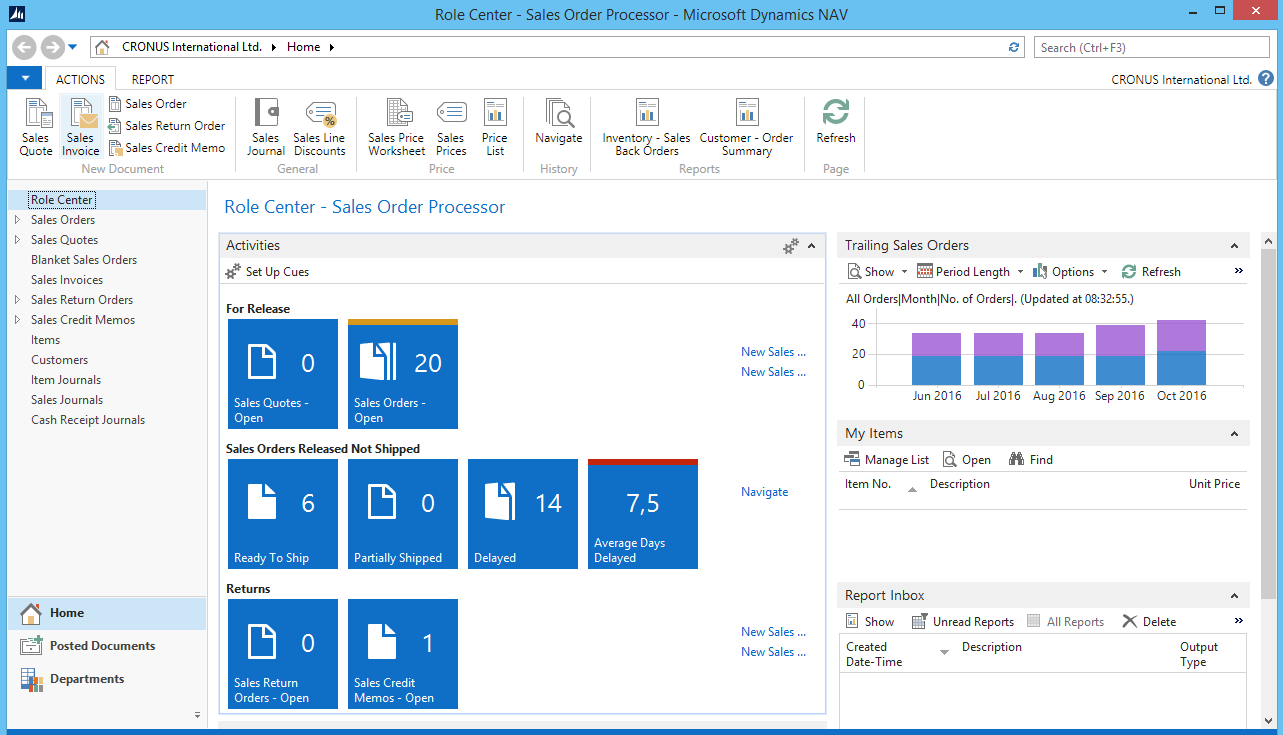
Microsoft introduce us with new features on tiles. Now, we can use it, not only for documents. Now, we can use them for decimal, percent and so on. We can also put it different color, depends of result in tiles. We have here some additional benefits, but about this some other time.

Capture1

Word Report Layout

Now in Microsoft Dynamics NAV 2015, except RDLC layout, we can use Word layout also. This will be especially intended for sales documents. Now, it is pretty easier customizing these report layouts even by customers.

Capture2

Tablet Client

Tablet client is one of the most expected features in new NAV. This is because, it can be used on Windows tablet devices, but also on iPad or Android. Generally, you will have the most of functionalities on this client, but adapted to tablets way of using.

Capture3

More…

Yes, it has still more features. And you will see, this is a lot of news. But, you need to wait about a month. The most of them will be presented on Directions in San Diego and Directions EMEA in Poznan. See you there.