Finally, we got a new NAV release as image on Microsoft Azure Gallery. This is Microsoft Dynamics NAV 2015 CU3. I expected it earlier, because GP 2015 has already existed. But, OK this is not so late. 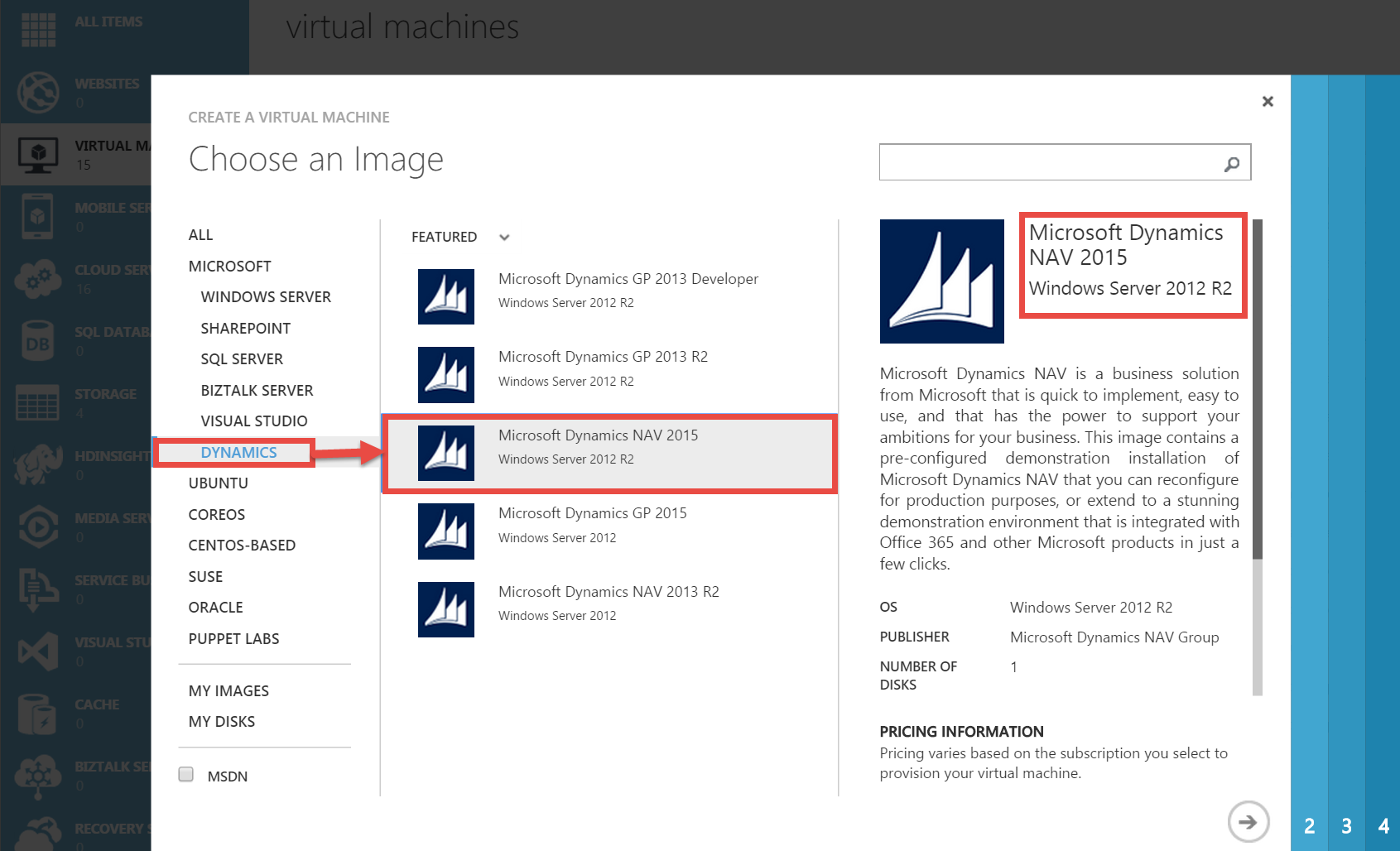 Now, all of you who want to test Microsoft Dynamics NAV 2015, can do it on Microsoft Azure VM. And, I am really happy, because it is with the last CU with great features. You can install it easy as you only need to follow instructions and wait few minutes for deploying. You can use Connect icon to make connection with new Azure VM. When you are signed on VM, you have all necessary links and you can run new NAV. You can run Windows, Web and Tablet clients or Development Environment. You also can run Administration and Development Shells. But I am little disappointed, because again as for NAV2013R2, we have configured Windows credential type, not NavUserPassword. With Windows credential type, you can use this NAV only on this VM. You cannot have really Azure experience. You also have only two endpoints, but you can add additional.
  To make Azure experience with logging from your computer, you have to change credential type with new tools (I will post about it). But regardless of it, it image has excellent tools. You can find all important location for NAV on VM easy and you can add your language, as well and do other great things. Some of features are not installed by default, but you can easy find installation DVD (using link on home page) and finish it if you need. You also can find a lot of cool demos. In any case, thanks to Microsoft for this image. I will have a lot of information for few days, after I make a few demos.
CU3 for Microsoft Dynamics NAV 2015
Cumulative Update 3 for Microsoft Dynamics NAV 2015, known as Build 39368 is published in January 21. You can find CU3 on this link, but if you try to find it on the list of all cumulative updates, you cannot find it. I don’t know why, but it still missing here. On this list, you can find only CU1 and CU2. But, if you use my first link, you can find CU3 easy.
As we used to, this cumulative update includes all hotfixes and regulatory features that have been released for Microsoft Dynamics NAV 2015, including hotfixes and regulatory features that were released in previous cumulative updates.
We can find here a lot of platform hotfixes, but you can also find Microsoft Social Listening integration (I already wrote about it) on this list. You can also find a really lot of application hotfixes in following functional areas:
- Cash Management
- Finance
- Fixed Assets
- Inventory
- Job
- Manufacturing
- Purchase
- Sales
- Service
- VAT/Sales Tax/Intrastat
- Warehouse
You can also find local application hotfixes for AU, DE, ES, FI, FR, IT, NA, NL, NO, RU and SE, as well as regulatory features for NA, NL, DACH and ES.
I expect, Microsoft will publish this formally on their blog.
Project Management is a Boolean
I hear very often that some made “almost all” by the project management methodology. They usually say, “I used maybe 99% by methodology”. But their projects still crashed. And, this is not connected with methodology type they used. You can use waterfall, agile or some mixed type, but you must really USE it in practice. First, you must know methodology you choose and then you can choose tools for your project leading.
If you want successful project, you have to provide top managers support, well known methodology for using and project leadership by someone who has successfully implemented a similar project(s). But, if you think about these, you will see that all of that is actually Project Management. If you correctly lead a project, this project will be successful. On other side, you can find a lot of reasons, why projects are unsuccessful, but they are mostly unsuccessful because of project management missing (either on the side on implementer or on the client side). Sometime in very rare situation, project can crush because of inexperienced or bad developers or consultants. But, this situation is really rare, because Project Management is the main reason for both of them, SUCCESSFUL or UNSUCCESSFUL projects.
You cannot use almost all from Project Management Methodology. You can USE Project Management Methodology or you can NON-USE Project Management Methodology. Because of that, I like to say that Project Management is Boolean, you can use or non-use. You cannot use 87% or 96%; you cannot measure usage of Project Management Methodology by percentage.
Imagine for a moment car driving. I pass driving test, I never drink alcohol when I drive, I always drive slower than the limit, I never drive through red light, etc. But, I just keep my eyes closed while driving, but everything other is OK. I respect 99.9% of the rules. But are you want to be in car with me. Maybe I can drive a few meters, but for surely I cannot drive on this way for kilometers. The same situation is with projects. Maybe, you have to brake some rule in some specific situation, but I must know how and where to return to be on a right way again. If you don’t know it, you will never (successful) arrive to the end of project.
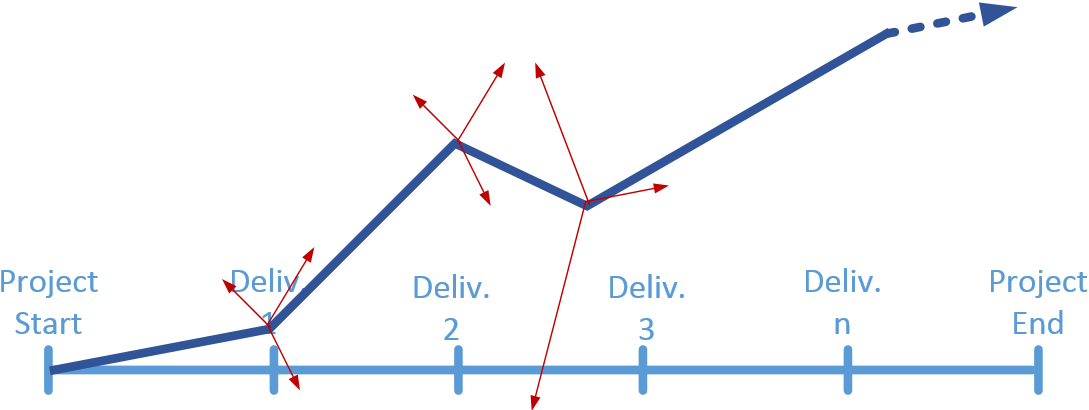
On the simplified diagram, we can imagine an ideal project flow, from the beginning to the end. This is ideal situation and I think usually it is not possible entirely:

But, this is for example one project flow in non-ideal situation, but in situation where we know where have to go. We can see that sometime we do something irregular, but if we know where we have to go back, we can finish project successful. It is not so easy, but project management is a complex job and not so easy :).

But if don’t know tools, roles, risk, deliverables… we don’t know where have to go and for sure, we cannot finish project successful. Maybe we can do it, but only accidentally. And, this success is not repeatable.
And you can use any type of project management methodologies. OK, for some project type is better agile, for some other project types is better waterfall and so on. But if you well know project management methodologies, you will choose a right model. But even, you make a wrong choice, you just have to respect all the rules of this methodology. If you choose what you have to use and what you have not to use, YOU DO NOT MANAGE WITH THE PROJECT.
Microsoft Social Listening on #NAV2015
Microsoft Social Listening offers hosted online services available to a wide variety of customers and is comprised of the following social capability components within the software application:
- Social Media Monitoring – ability to listen to and monitor publicly available social communications across public and managed networks administered by third parties.
- Social Analytics – ability to identify, compute, and project queries related to publicly available documents and posts.
You can find more about Microsoft Social Listening here.
But, what is with integration between Microsoft Social Listening and Microsoft Dynamics NAV? First plan was to publish this integration in next NAV version – “Corfu”, but we can find announcements, that this will be part of Microsoft Dynamics NAV 2015 in CU3. We still expect CU3, but you can find following helps on MSDN and How Do I video:
- MSDN has published Help about adding and setup Microsoft Social Listening with Microsoft Dynamics NAV 2015 here,
- Vjeko has published How Do I video about this topic in CU3 here.
Now, we will wait for new CU3 and hope it will be published :).
Video Series on Partner Source Site
In the last few years, you could find a lot of different “How Do I” videos on MSDN or Youtube. But, you always had a problem when you want to find some specific video. Now, Microsoft have arranged a part of Partner Source for these videos and not only for videos. If you are a Microsoft Dynamics NAV partner, you will easy find video you need.
Microsoft organizes six different contents “buckets” from the Readiness & Training News page for Microsoft Dynamics NAV. There are:
- Video Series on Microsoft Dynamics NAV Design Patterns: This video series explains how to implement the best practices to solve problems in your vertical solutions.
- Video Series on Microsoft Dynamics NAV Reporting: This video series explains a lot of various topics related to NAV reporting.
- Video Series on Microsoft Dynamics NAV In/On/With: This video series explains all about Microsoft Dynamics NAV in Office 365, on Microsoft Azure and with Microsoft Dynamics CRM and other services, from deployment to usage.
- Video Series on Microsoft Dynamics NAV Integration & Extensibility: This video series introduces various topics related to NAV and integrating it with various external solutions and systems.
- Video Series on Microsoft Dynamics NAV PowerShell: This video series explains all about usage PowerShell tools in Microsoft Dynamics NAV.
- Video Series on Microsoft Dynamics NAV Tips and Tricks: This video series introduces various topics related to the NAV tips and tricks.
Now, you can find all currently published videos, allocated in logical parts. In the near future, there will be a lot new videos to make cohesion between them and all of us hope that it will help to all partners.
2014 in review by WordPress
The WordPress.com stats helper monkeys prepared a 2014 annual report for this blog.

Here’s an excerpt:
The concert hall at the Sydney Opera House holds 2,700 people. This blog was viewed about 14,000 times in 2014. If it were a concert at Sydney Opera House, it would take about 5 sold-out performances for that many people to see it.
Happy New Year and small retrospect
In three days, it will be the end of this year. I have just finished new “How Do I” video and I have plan to finish one more tomorrow. I hope these two my last videos in 2014. years would be interesting.
I want to remind you that you can find all “How Do I” video about NAV 2015 on MSDN here. Very soon, we will have a special well organized places on Partner Source.
Now, few more words about this year. Personally, it’s been a really great year! Thanks for being a part of it. In this year, I become an MVP and I got Customer Excellence Award on Convergence Europe. I had a lot of very interesting projects and lectures, as well. Also, on my personal plan, I has some very good news (but, this is intimately).
I want to say thanks to all people that supported me (and people that do not supported me :-)). I want to all of you to have a year that is better than I already had this year. I also hope, we will get an awesome new version of NAV (‘Corfu’) next year.
And, of course, special thanks to my friends all around the world and especially to my family (my wife, son and dog).
E-learning Courses for NAV 2015 are almost completed
Month ago, I have already wrote about E-learning courses for Microsoft Dynamics NAV 2015. In this moment, we had 5 courses published. Now we had finished and published 9 from 10 courses. We expect the last course in few following days.
Microsoft expect, these courses will help in the future learning process. There are currently published courses:
- What’s New Technical in Microsoft Dynamics NAV 2015
- Finance Advanced in Microsoft Dynamics NAV 2015
- Development Environment Introduction in Microsoft Dynamics NAV 2015
- What’s New Functional in Microsoft Dynamics NAV 2015
- Finance Essentials in Microsoft Dynamics NAV 2015
- Fixed Assets in Microsoft Dynamics NAV 2015
- Introduction to Microsoft Dynamics NAV 2015
- Application Setup in Microsoft Dynamics NAV 2015
- Installation and Configuration in Microsoft Dynamics NAV 2015
Authors of these courses are Koen Stox, Steven Renders and Aleksndar Totovic. Authors are one of the MCTs or MVPs. Courses are prepared in collaboration with Plataan.

You can find these courses here on IT Academy or here on MSDN, but you have to have appropriate rights. I hope, you will enjoy and learn something new.
New Cumulative Update 2 for NAV 2015
Cumulative Update 2 for Microsoft Dynamics NAV 2015 has bee released today. It includes all application (Administration, Finance, Inventory, Manufacturing, Marketing, Purchase, Sales, Service and Warehouse) and platform hotfixes and regulatory features that have been for Microsoft Dynamics NAV 2015. It has a lot hotfixes for following localisations: Germany, Denmark, Spanish, Finland, France, Italy, North America, Netherlands, Norway, Russia, Sweden, United Kingdom,
You can download Cumulative Update 2 for Microsoft Dynamics NAV 2015 from here. This CU is named as Build 38798.
Mainstream Support for NAV 2009 Ends
Mainstream support for all Microsoft Dynamics NAV 2009 versions ends January 13th, 2015. This is the last NAV version with the classic client. Of course, NAV 2009 also has RTC client, but a lot of companies use classic client. That means, Microsoft ends with classic client support.
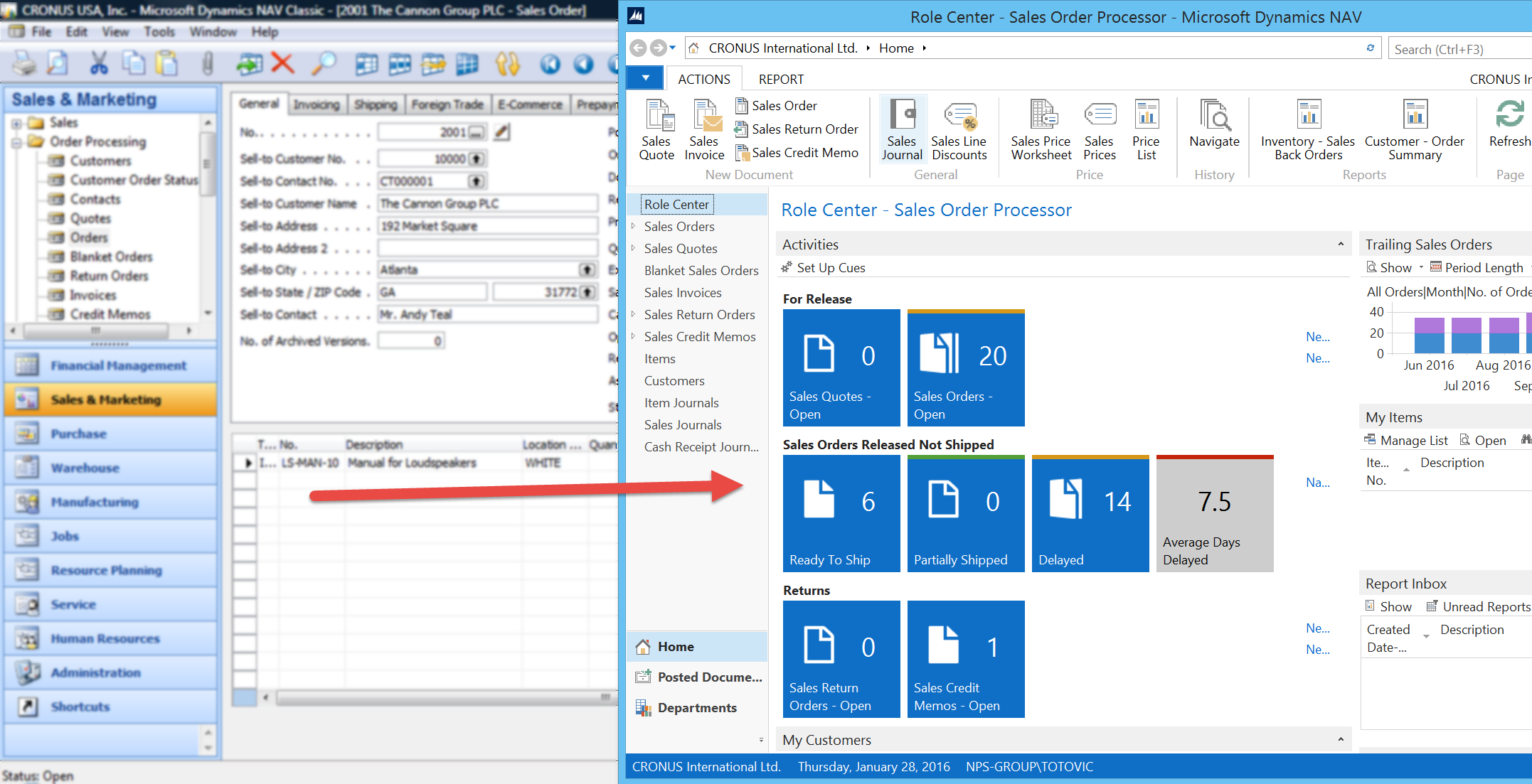
Maybe, this is the right moment to think about upgrade to the newer NAV versions. In this situation I recommend NAV 2015. With the new Microsoft Dynamics policy, we have new cumulative updates every month, and if you use them, you will stay current in the future. That means, you will not have a need for new upgrade in following years, because you will always have the newest version. This will make a less of your investment in the future and less your users adapts to new versions – a lot of benefits.
 Totovic Dynamics 365 Blog