In-Client Designer in Dynamics NAV

Recently, Microsoft published new Developer Preview for the next NAV version. If you try to find it on Azure portal as one of the NAV virtual machines, you will find “Dynamics NAV ‘Tenerife’ Development Preview”.

When you install run NAV after deployment, in the first moment you will not see ‘Design Mode’ icon. To get it, you need to run ‘Install New Developer Experience’ PowerShell script. After that you can try In-client designer. Now let’s see some of the features. This tool can be used for page design.

Currently, we can work only with Fields and not with Actions, Parts and Pages. If we run design for the list page, we can change an order on columns, remove some of fields, add them and set freeze pane.
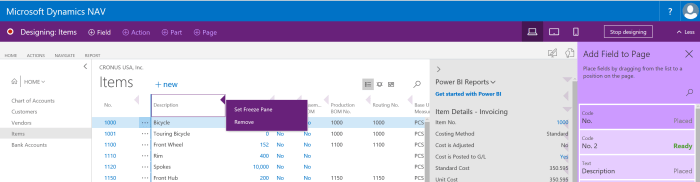
InClient1

The same situation is if we want to make some customization on card page; we can do everything the same as on list, except adding freeze pane 😊. But this is with standard fields on pages. On the other side, we can add fields on card part pages. We can notice that we have context oriented fields for part pages. And also, we have some controls, as we can only drop media fields onto card part pages and we cannot drop a field under a repeater control, because this is not the design that list pages were intended for.
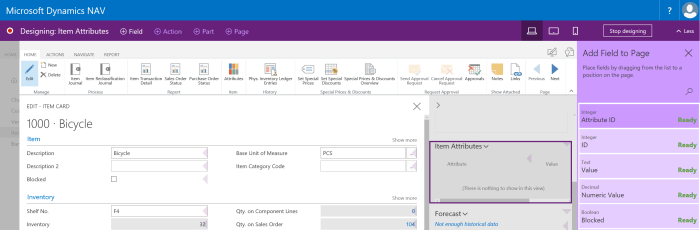
InClient2.PNG

And finally, we can add or remove some parts on role center. When we decide to finish with customizations, we just need to click on ‘Stop’ and system will ask us what to do with ours work. System will offer to save the changes to the tenant for all users, or to save the changes to a VS Code package file that we can work on later in VS Code.

InClient3

On the first sight, that is all, but if you create Azure VM using http://aka.ms/navdeveloperpreview URL, you can get some newer features. More about this in the next post.

Dynamics 365 for Talent – Integrations

Few days ago, I’ve started with a story about new product (still Technical Preview) – Dynamics 365 for Talent. I want to spend a few words about possible integrations.

When you look at the official announcement, you can find that key integrations will support the overall business and the following integrations will be created, but they will be available at or shortly after general availability:

  • LinkedIn
  • Microsoft Dynamics AX 2012 R3
  • Microsoft Dynamics 365 for Finance and Operations, Enterprise Edition
  • Background screening
  • Global payroll providers
  • ATS providers

As you can see, there are not planed integration with Dynamics 365 for Financials or with Dynamics NAV. But  think it will be necessary because these products don’t have a real HRM solution. But I’ve also found that it will be possible to use Common Data Services platform with built-in extension points for Power Apps, Flow and Power BI.

TalentSys.PNG

But, when I tried to make connection via Flow and Power App, I’ve found that it is still not available as a connection. Of course, it is probably because it is only technical preview and I’m sure it will be available with a general availability. I’m waiting this moment and I want to make some kind of integration. I’ll write about it, I hope soon.

Directions 2017 NA

The third year in a row, I’ll have session in Directions NA. I’ve got confirmation a few days ago and I can say that I’m so happy, because it is one of the my favorite conferences and I really love the American audience.

DirectionsNA

Conference will be held at the beautiful hotel JW Marriott Orlando, Grande Lakes, Florida in period September 17-21. It is still not too late to make registration here. I would like to see all of you there.

DirectionsHotel

This time, my topic will not be technical, but related with Dynamics 365. I’ll speak about Project Management Methodology in D365 BE Implementation. I think this is important topic although we are usually thinking only on very fast selling and very fast implementing solution, when speak about D365 Business Edition. But it is still a project and we still need to take care about a lot of things and to manage it.

Now, I don’t want to speak about all details here, because I’ll try to help you in this kind of project management with this session.

Dynamics 365 for Talent

Effective July 1st, Microsoft will announce new Dynamics 365 family member. This is new HRM app – Dynamics 365 for Talent. Of course, this will not be only one news, but I want to say a few words about this product. First, we can run and test technical preview and I want to share some first experiences. We still cannot find all features here, but we can make the first sight. For example, we will still wait integration with LinkedIn. It will be very important integration, especially in recruitment process. But we still don’t know all areas where integration will be done. But again, lets see what we have here.

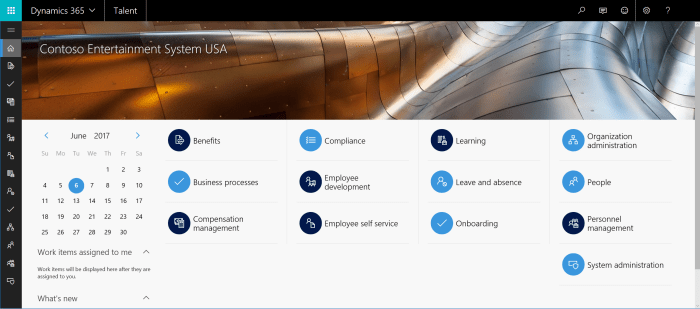
talent1.PNG

This will be standard SaaS solution with web client, very similar with D365 for Operations. And of course, it will be integrated with this solution. And I would like if we can get integration not only with this enterprise solution, but also with D365 for Financials. Minimum, I’m expecting some App for this.

If you try to run a few basic features in demo database, you can notice that it works fast enough and very smoothly. When we open app for the first time, we can see a menu as default dashboard and in the left side in the same moment. If icons are not clear enough on the left side, we just need to click on three-lines, and it will be expanded so you can see the names of these commands. Also, when you run system for the first time, you will find very good “Get Started” with very good prepared videos and with a lot of step-by-step manuals. And if this manuals are not enough, you have a awesome tool where you can create task saving; you just need to choose this tool, run it and do everything what you want to do; when you click on stop, system will create nice manual step-by-step and you can choose how and where you want to deploy it.

In this first text, I didn’t plan to speak about features, just to make some basic overview. In my next texts, I will write more about features.

talent2.PNG

More details about this technical preview, you can find here:

https://community.dynamics.com/enterprise/b/dynamics365fortalent/archive/2017/06/05/dynamics-365-for-talent-technical-preview-is-here

NAV and D365 Roadmap and New Ideas

In the last period, we used to have one slide with roadmap about future release of Dynamics NAV with few expected enhancements. But now, instead of this, we have new dedicated site for roadmap. You just need to run here, and you will open this site. Generally, when open it, you can see this is for Dynamics 365, but when you change to Business Edition and choose Dynamics 365 for Financials, you can see all new future features for both of products D365 for Financials and Dynamics NAV.

Roadmap

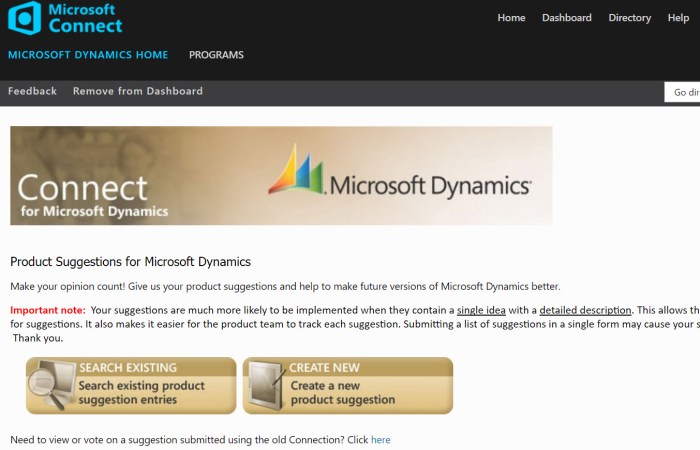
But this is just to know what will be in a future. Of course, some strategic features will not be announce here and we need to wait to see them official release. But I am sure, the most of you want to be more engaged in this part “what will be in the future”. In the past (and now) we have a Connect site. This was a place where you could add new product suggestions. But generally it was for the current and past NAV versions and it was used mostly for some bugs and improvement ideas.

Connect

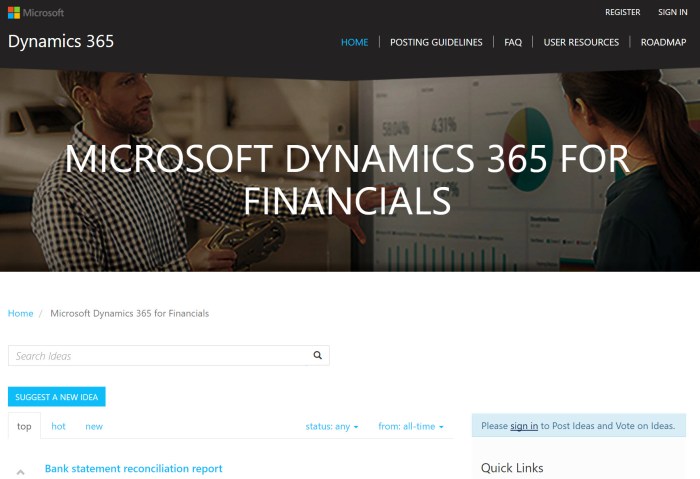
Now we have something better. You just need to go to https://ideas.dynamics.com/ for all Dynamics 365 products or to https://ideas.dynamics.com/ideas/dynamics-financials for Dynamics 365 for Financials and as I already said for the Dynamics NAV (because they are the same in the basic). On this site, you can suggest new idea or vote for some of existing idea. This forum is very nice created and it is important that every day you can see current status of your suggestion.

Ideas

Of course if you want to suggest a new idea or to vote, you must be signed in, because it will not be a fair to put something as anonimus. But with all this organization, I’m really sure that we will get amazing products in the future.

Dynamics ERP and CRM Continue Together

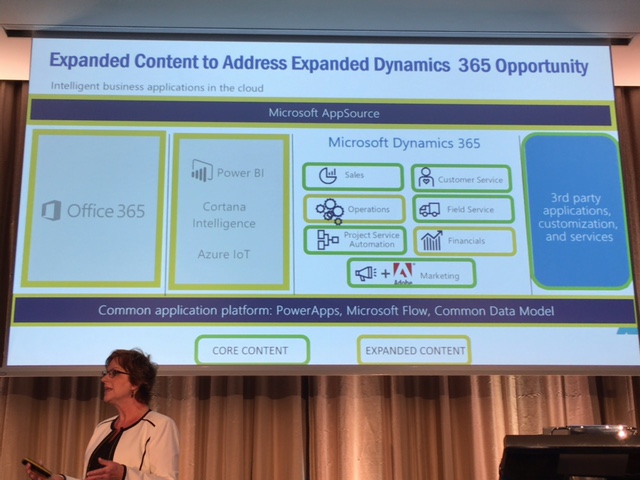
I didn’t write a blog for a while, but these few days I’m on eXtreme 365 conference and I decided to share some observation. For some time, since there is a Dynamics 365 product family, we created a closer collaboration between ERP and CRM products. Generally, it was mostly based on technology.

But now, I see the next steps. First, more and more ERP partners try to learn more about CRM and the same situation is with CRM partners and ERP knowledge. Now, I’m at eXtreme 365 conference that was originally CRM conference, but from this year this is not only CRM conference. We have a lot of sessions about D365 for Financials, D365 for Operations, Common Data Service, PowerApps, Flow… And as I see, there are some NAV partners (and MVP’s as well J). Also, I saw announcement for Directions this year and there is a same situation, this will not be only NAV event and we will have CRM sessions as well.

IMG_1849

This is very important, because all of use started with thinking that we need to continue with both products together. And this is a huge opportunity for partners. This is opportunity for upselling and if they know both products they will be better on a market.

And about a conference. Great conference and great opportunity for networking. This is the first time I’m on some big conference that was not originally NAV conference and this is the great opportunity to see some new people, sometimes with different attitude. I also met some friends from a NAV world here and I can say this is a great mixture. I’m expecting something similar on Directions as well.

OK, in some next posts I’ll write more about some news with these products, but for sure we can expect more and more news in this world in next few months.

New Development Tools for NAV

Today, Microsoft has been published preview of new development tools for NAV as promised (before the Christmas). New tools are intended for extensions and apps development.

We have two tools:

  • The In-client Designer to make extensions in the client by consultants.
  • Visual Studio Code for building powerful extension and apps development, based on tables, pages and codeunits, using the new objects Page Extensions and Table Extensions.

You can start if you have your own Microsoft Azure subscription, using the following link http://aka.ms/navdeveloperpreview

More about it on Microsoft blog.

How to create your first Flow for NAV

I hope you’ve already heard for Microsoft Flow. If you want to use this amazing small tool, you need to go on https://flow.microsoft.com. With this tool, you can connect a lot of different type of software. For example, you can connect Share Point, Outlook, Excel, Facebook, Twitter, OneDrive, Dynamics solutions, Google Calendar of File Drive, Yammer, PowerBI…

In this post, I want to show you how you can create a small Flow for connection between Dynamics 365 for Financials and Facebook. I used Financials only because it was easier for my demo, but you can do it the same with your NAV 2017 for example. Before you start with Flow, you need to publish Web Service you want to use in Flow.

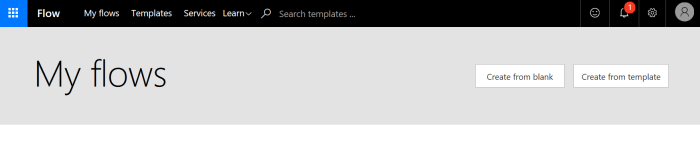
To start, first click on My Flows and then on Create from blank (for this demo). If you want to use some of templates, you will choose Create from template.

1.PNG

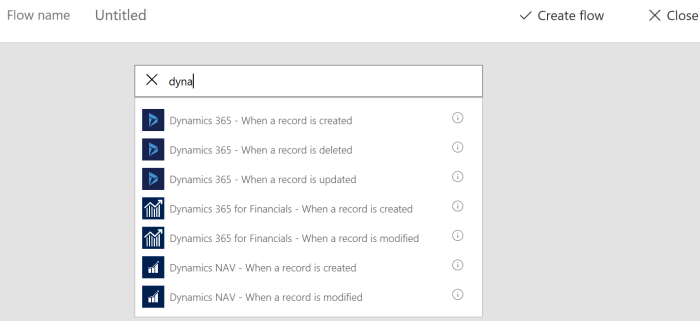
Then you need to find some of Dynamics triggers. You can see on the following picture what you currently can use. If you want to create flow for NAV or Financials, you can use When a record is created or When a record is modified. In this example, I used When a record is created. And then you need to choose one of your connections to your solution or to create new one (be careful with username and password – Web Service Access Key).

2.PNG

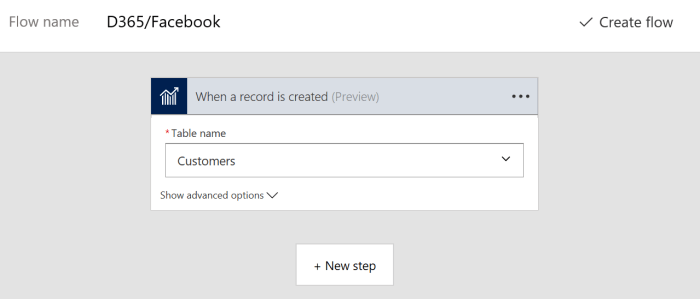
After you finish it, you can choose some of your tables (based on published Web Services). I have chosen Customers, because I want example where Facebook will announce welcome, every time when I create new customer.

3.PNG

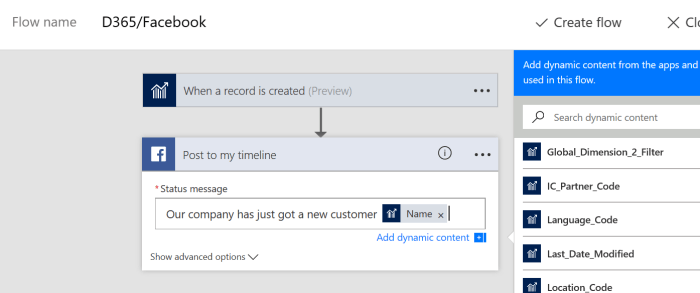
Then, I’ll click on the Next step to create step in Facebook. You need to find Facebook and to choose one of actions. I’ll choose Post to my timeline. And of course, you need to sign in to Facebook with some of accounts.

4.PNG

The type a message you want to post on your timeline and for this purpose you can use some of the fields in Customers table (from a right side).

5.PNG

After that if you already didn’t give Flow name for your Flow, just give some name and click on Create flow; click on Done and everything is finished.

Now, you can open your Financials or NAV and create a new customer. When you finish it, you will see that Facebook announce this on your timeline:

6.PNG

As you can see, this was very easy and you can do it on much easier way using already prepared templates. You can find a lot of templates for CRM (Dynamics 365 for Sales) or AX (Dynamics 365 for Operations). But you can also find few of them (currently 3) for Financials and NAV (I expect more and more soon):

  • Create an item in Dynamics NAV from PowerApps
  • Send a Push Notification for new Sales Orders
  • Post to Twitter on New Customers in Dynamics 365 for Financials

Using NAV Outlook Client on iPhone

Today I held presentation about features in NAV 2017 and D365 for Financials. When I presented working with NAV 2017 in Outlook, I remembered that I had never show how we can use NAV (or D365 for Financials) in Outlook on the phone. I’m not sure if someone wrote about this and I want to give you some directions about it.

If you use standard Office application on your phone, you can not use this App for NAV/Financials. But we still can provide it. If you have iPhone, you can download OWA for iPhone from App Store. When you install this app, you can use all features as we used on standard desktop or online Outlook about NAV/Financials, but you need to use the latest update of Office 365 for business.

iphonenav1.jpg

iphonenav2.jpg

When you install and login as Office 365 user, you can notice that when you receive mail, you will see small add-in Financials/NAV. You can use this add-in or if you have some document link, just click on link and open a document. You can see all standard information as on standard Outlook or edit something. On the same way, you can run this add-in from calendar as well.

If you want to have everything the same on your iPad, just download the same App and repeat all steps.

Modern DEV Experience in NAV

We finally got first view on new modern DEV environment for NAV. This is still not finished product, but we can see something already announced on Directions NA and Directions EMEA this year. We expect final version of this tool for developing extensions somewhere about Christmas.

VSC.jpg

Now the first project is public published ans all of you can download it from https://github.com/Microsoft/AL. This is just simple “Hello World”, but good enough for the first sight. Unfortunately, I didn’t download it earlier and I can just start to play with it. Just download it and be updated.